Upgrade Support: RSA Authenticator Install Instructions

Quick Setup: RSA Authenticator for Cash Management

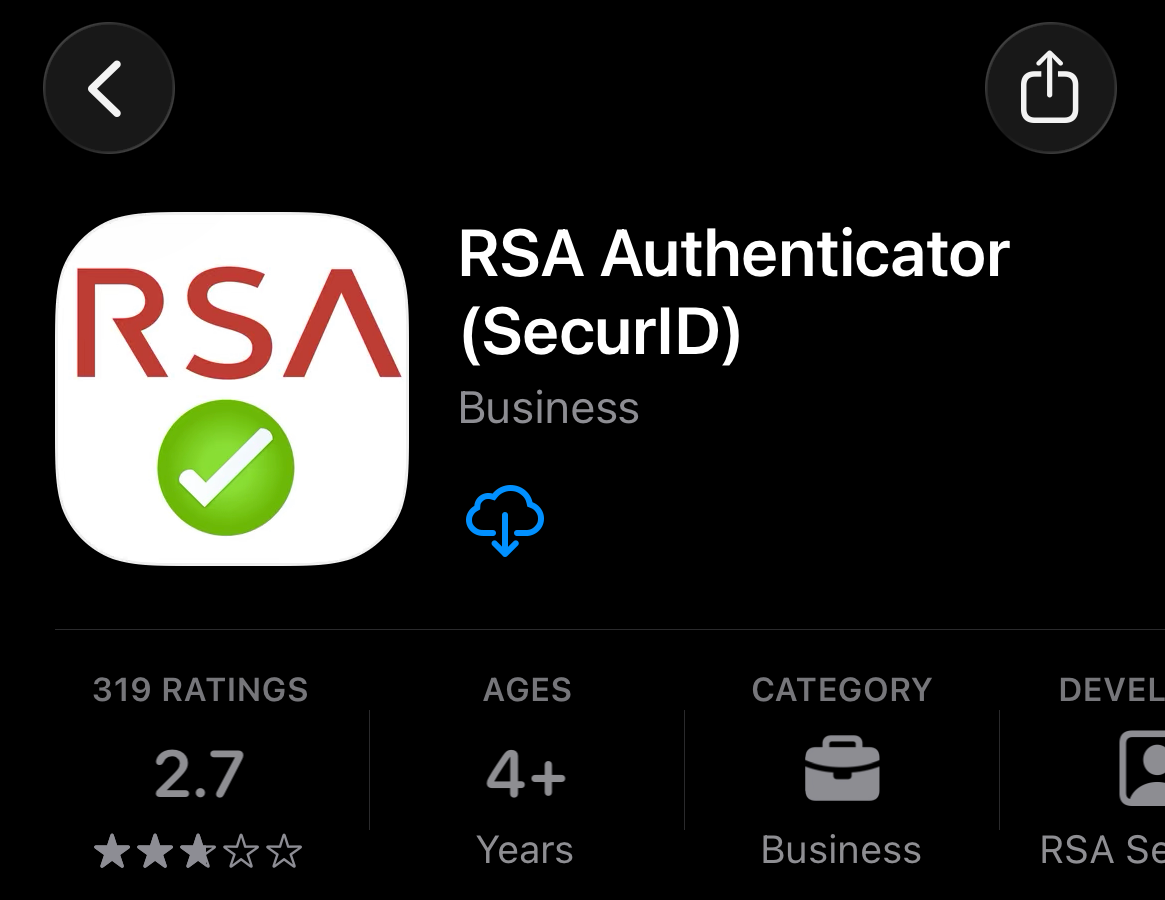
To access Cash Management services, you’ll need to download and set up RSA Authenticator on your mobile device.

Follow these steps (or watch the demo video below them):

  • Open the Apple App Store or Google Play Store
  • Search for “RSA Authenticator”
  • Click download or install
  • Open the RSA Authenticator app on your phone
  • Click the “Accept” button at Terms of Service prompt
  • Click “Get Started”
  • Select the option to Add Credential
  • Copy and paste the Token Details from Gisella’s email into the Registration Code field, then enter your email address and business name
  • When prompted, enter a PIN: 1234 and Password: Eagle!2026
  • Return to Cash Management and use the passcode from RSA Authenticator when prompted

Important: Keep the app installed on your device after setup is complete.

Need assistance? Please contact your local branch for help with setup.

Recent Articles

Most Home Searches Start in the Wrong Place

Personal

Most Home Searches Start in the Wrong Place

Knowing where to start when considering a new home can have a tremendous impact on the entire process. Learn how you can go further, from the start.

Read more
Important Update: Debit Card Activation & Support Numbers

Important Update: Debit Card Activation & Support Numbers

To activate or reset your debit card, call 800-992-3808. To report a lost or stolen debit card, call 888-439-1591.

Read more
Introducing the New Eagle Bank Website: A Better Digital Banking Experience

Personal

Introducing the New Eagle Bank Website: A Better Digital Banking Experience

At Eagle Bank, we believe innovation should make banking easier, more intuitive, and more accessible for the people and businesses we serve. That’s why we’re excited to introduce our completely redesigned website. We feel that this significant upgrade better reflects both who we are today and how we’re evolving the customer experience in the future.

Read more

Get updates straight
to your inbox.

Important Update: Debit Card Activation & Support Numbers

At Eagle Bank, we want to ensure you have the correct information to manage your debit card quickly and easily.

Some recently mailed debit cards included an incorrect phone number for activation and lost or stolen card support. We apologize for any confusion this may have caused.

If you need to activate your new debit card or report a card that is lost or stolen, please use the correct phone numbers below:

Activate or Reset Your Debit Card
Call 800-992-3808

Report a Lost or Stolen Debit Card
Call 888-439-1591

If you have any questions or need additional assistance, please don’t hesitate to contact your local Eagle Bank branch or our customer support team.

Thank you for banking with Eagle Bank.

Recent Articles

Most Home Searches Start in the Wrong Place

Personal

Most Home Searches Start in the Wrong Place

Knowing where to start when considering a new home can have a tremendous impact on the entire process. Learn how you can go further, from the start.

Read more
Upgrade Support: RSA Authenticator Install Instructions

Upgrade Support: RSA Authenticator Install Instructions

Are you a business customer looking for help downloading and setting up RSA Authenticator for Cash Management services? Directions and a reference video can be found here.

Read more
Introducing the New Eagle Bank Website: A Better Digital Banking Experience

Personal

Introducing the New Eagle Bank Website: A Better Digital Banking Experience

At Eagle Bank, we believe innovation should make banking easier, more intuitive, and more accessible for the people and businesses we serve. That’s why we’re excited to introduce our completely redesigned website. We feel that this significant upgrade better reflects both who we are today and how we’re evolving the customer experience in the future.

Read more

Get updates straight
to your inbox.

Personal

Introducing the New Eagle Bank Website: A Better Digital Banking Experience

At Eagle Bank, we believe innovation should make banking easier, more intuitive, and more accessible for the people and businesses we serve. That’s why we’re excited to introduce our completely redesigned website. We feel that this significant upgrade better reflects both who we are today and how we’re evolving the customer experience in the future.

This launch represents more than just a new look. It’s a complete rethinking of how our website works—designed from the ground up to provide a faster, more helpful, and more user-friendly experience.

Whether you’re exploring financial products, looking for resources, or connecting with our team, the new site is built to help you get where you need to be quickly.


Designed With You in Mind

Our goal throughout this redesign was simple: make the experience better for our customers.

We carefully reworked the structure and organization of the site to make it easier to navigate and more intuitive to use. The result is a website that helps you spend less time searching and more time focusing on what matters.


What’s New

Here are a few of the improvements you’ll notice as you explore the new website:

Streamlined Navigation
A more intuitive menu structure makes it easier to explore personal banking, business banking, lending options, and helpful resources.

Reimagined Page Content & Information
Clearer explanations, redesigned layouts, and better organization help you quickly understand the features and benefits of the products and services we offer.

New Online Banking & App Experience
We have upgraded our Online Banking platform as well as our Mobile App with your banking journey in mind.

Mobile-Friendly Design
Whether you’re on a phone, tablet, or desktop, the site is designed to work seamlessly so you can bank and learn on the go from your preferred device.

Better Tools and Resources
Helpful information, educational content, and banking tools are easier to discover and use to help you bank with greater confidence.


A Reflection of Our Commitment to Innovation

The new website is part of a broader investment Eagle Bank is making in technology and digital banking tools that were designed to improve the customer experience while preserving the personalized service we’re known for.

Technology should never replace relationships. Instead, it should enhance them.

This upgrade helps us do exactly that.


Explore the New Site

We invite you to explore the new Eagle Bank website and experience the improvements firsthand.

Browse our products, learn more about how we serve our communities, and discover resources designed to help you make confident financial decisions.

And as always, if you ever need help, our team is here to assist.

Together, we go further.

Recent Articles

Most Home Searches Start in the Wrong Place

Personal

Most Home Searches Start in the Wrong Place

Knowing where to start when considering a new home can have a tremendous impact on the entire process. Learn how you can go further, from the start.

Read more
Upgrade Support: RSA Authenticator Install Instructions

Upgrade Support: RSA Authenticator Install Instructions

Are you a business customer looking for help downloading and setting up RSA Authenticator for Cash Management services? Directions and a reference video can be found here.

Read more
Important Update: Debit Card Activation & Support Numbers

Important Update: Debit Card Activation & Support Numbers

To activate or reset your debit card, call 800-992-3808. To report a lost or stolen debit card, call 888-439-1591.

Read more

Get updates straight
to your inbox.